Shift-Left IaC Security in CI/CD Pipelines
Shift-Left IaC Security in CI/CD Pipelines
Shift-left security for Infrastructure as Code (IaC) helps you catch and fix misconfigurations early - before deployment. By integrating automated IaC security checks into your CI/CD pipelines, you can save time, reduce costs, and prevent potential breaches. Here's a quick breakdown:
- Why It Matters: Misconfigurations are a major cause of cloud security incidents, responsible for 26% of breaches, costing an average of $4.88 million per incident.
- Key Tools: Popular open-source options include Checkov, Trivy, and Terrascan. Unified platforms like Nuvm Cloud simplify the process by consolidating multiple scanners.
- Pipeline Integration: Add security checks as a separate CI/CD stage. Block builds for high-risk issues, flag lower-severity ones, and provide developers with actionable feedback.
- Broader Security: Combine IaC scanning with Cloud Security Posture Management (CSPM) to monitor live environments and prevent configuration drift.
Start by auditing your IaC assets, defining security policies, and setting up tools in your pipelines. For long-term efficiency, consider tools that offer compliance mapping and automation and unified dashboards like Nuvm Cloud. Fixing issues early can save you up to 100x the cost compared to addressing them post-deployment.
From Code to Cloud Strengthening IaC Security with SAST
sbb-itb-5d9b290
Planning Your IaC Security Approach
Taking the time to plan your approach before integrating any scanner can save you from a host of issues. Without proper planning, you risk overwhelming your developers with excessive alerts, leading to frustration and the potential disabling of checks within a couple of weeks.
Locate Your IaC Assets
Start by auditing your version control system. Platforms like GitHub, GitLab, or Bitbucket are good places to search for files that define your infrastructure. Look for Terraform files (.tf and .tfvars), CloudFormation templates (JSON or YAML), Kubernetes manifests (e.g., Deployment.yaml and Ingress.yaml), Helm charts (values.yaml and Chart.yaml), Dockerfiles, and Azure Bicep or ARM templates.
Don’t stop there - review state files and CI/CD pipelines to identify any discrepancies between declared and deployed assets. Pay attention to manual configurations that might not be tracked in version control. This thorough audit lays the groundwork for proactive security measures, which are at the core of shift-left practices.
Define Your Policy Scope
Once you’ve identified your assets, the next step is to align your policies with established guidelines, such as CIS Benchmarks or cloud provider recommendations. These resources provide a ready-made set of rules, sparing you the hassle of creating policies from scratch. Adhering to these standards helps you avoid misconfigurations in production - precisely what shift-left security aims to prevent.
You’ll also need to decide how findings will be treated in your pipelines. For instance, it’s wise to block builds for HIGH and CRITICAL severity issues, like public S3 buckets, wildcard IAM permissions, or open SSH ports. These are similar to the common cloud misconfigurations often found in production environments. On the other hand, MEDIUM and LOW severity findings can be flagged as informational, allowing your pipeline to keep running without ignoring significant risks.
"If developers bypass a control too often, that is a signal that the control is wrong, not that the developers are careless." – Net-work.pro
For teams managing large, pre-existing codebases, tools like Checkov allow you to generate a baseline file. This approach lets you acknowledge current misconfigurations without halting every pull request. New issues are caught as they arise, while older ones are tracked separately.
With your inventory complete and policies in place, the next step is selecting the right tools to enforce these standards.
Choose Your IaC Security Tools
Your policy priorities will guide you in picking the right tools. Here’s a quick look at some top open-source options:
| Tool | Supported Frameworks | Best For |
|---|---|---|
| Checkov | Terraform, CloudFormation, Kubernetes, Helm, ARM, Bicep, Dockerfile | Comprehensive coverage with over 1,000 built-in rules |
| Trivy | Containers, Kubernetes, Terraform | Teams already using it for container image scanning |
| Terrascan | Terraform, Kubernetes, CloudFormation, Helm | Custom policy implementation via OPA/Rego |
| KICS | Over 20 frameworks including Ansible and CloudFormation | Polyglot IaC environments |
These tools are open-source and free, making them a great choice for smaller SaaS teams. However, the hidden cost lies in the time required to maintain various tools, correlate findings, and map results to compliance standards like SOC 2 or ISO 27001.
This is where a unified platform, such as Nuvm Cloud, can simplify the process. Instead of juggling multiple scanners, Nuvm Cloud consolidates IaC, container, and source code security into a single dashboard. It provides actionable findings with plain-English explanations and ready-to-execute remediation commands. Pricing starts at €79/month (billed annually), making it an affordable option for teams that don’t require enterprise-level solutions.
Adding IaC Security Checks to Your CI/CD Pipeline
Core Principles for CI/CD Integration
To catch misconfigurations early, it's crucial to include IaC security checks at the very start of your CI/CD pipeline. A good practice is to set up these checks as a dedicated stage, separate from build and test steps. This separation ensures that security issues are clearly visible and can be addressed without being mixed up with build-related errors. It also makes enforcing a deployment gate much simpler.
Configure your pipeline to exit with a non-zero code only for HIGH and CRITICAL findings, while flagging MEDIUM and LOW issues as warnings. This approach keeps the process focused and avoids overwhelming developers with less urgent alerts.
"Security checks fail when they feel like random friction. If a pipeline produces noisy results... teams will route around it." - Oracles Cloud
One technique often overlooked is scanning the Terraform plan JSON instead of just analysing raw HCL files. Static analysis of .tf files can miss certain issues, especially those that arise after variable resolution or data source lookups. Running terraform show -json tfplan and feeding that output to a tool like conftest helps identify a wider range of potential problems. While this adds a bit of time to the pipeline, it significantly improves detection capabilities.
Another helpful tip is to use path filtering to trigger IaC security checks only when relevant files are modified. For instance, you can avoid scanning Terraform modules if only files like README.md are updated.
Next, let's see how to apply these principles using GitHub Actions.
Setting Up Checks in GitHub Actions
GitHub Actions is a popular starting point for many teams, and setting up IaC security checks here is straightforward. The bridgecrewio/checkov-action takes care of the scanning, while github/codeql-action/upload-sarif uploads the results to GitHub's Security tab. This integration ensures that developers can see findings as inline annotations directly on the affected lines in the pull request.
To enable this setup, ensure your workflow includes the security-events: write permission. Without it, the SARIF upload step will fail silently.
Here’s an example workflow:
name: IaC Security Scan

on:
  pull_request:
    paths:
      - 'terraform/**'
      - '**.tf'
      - 'kubernetes/**'

permissions:
  security-events: write
  contents: read

jobs:
  checkov-scan:
    runs-on: ubuntu-latest
    steps:
      - uses: actions/checkout@v4

      - name: Run Checkov
        uses: bridgecrewio/checkov-action@v12
        with:
          directory: .
          output_format: sarif
          output_file_path: results.sarif
          soft_fail: false
          check: HIGH,CRITICAL

      - name: Upload SARIF results
        uses: github/codeql-action/upload-sarif@v3
        if: always()
        with:
          sarif_file: results.sarif
The if: always() condition ensures that scan results are uploaded even if the workflow fails. This way, developers can identify and address the root cause of the issue. Initially, you can set soft_fail: true to allow pull requests to proceed while managing any backlog of issues. Once the backlog is under control, switch to enforcing hard gates.
Applying the Same Approach in Other CI/CD Systems
The same principles apply when using other CI/CD platforms. While the syntax might differ, the structure remains consistent: a dedicated stage for IaC security checks, blocking based on severity, and contextual results for developers.
| Feature | GitHub Actions | GitLab CI |
|---|---|---|
| Trigger | on: pull_request with paths |
rules: changes |
| Result Visualisation | SARIF annotations in PR diff | JUnit/SAST artefacts in Security tab |
| Common Tooling | bridgecrewio/checkov-action |
aquasec/tfsec-ci or Checkov Docker image |
| Permissions | security-events: write |
Standard runner permissions |
In GitLab CI, the artifacts: reports: sast property integrates scan results directly into the merge request widget and GitLab's Security Dashboard. This eliminates the need for third-party integrations. For teams heavily using Terraform, tfsec (now part of Trivy) is a common choice, as it provides output that GitLab can natively interpret.
For platforms like CircleCI and Azure DevOps, you can use a scanner as a Docker image or CLI binary. Run it against your IaC directories and publish the results as artefacts. While these platforms lack native SARIF support similar to GitHub, you can still generate a JUnit XML report or an HTML artefact and link it in the pipeline summary.
Consistency is key. No matter which platform you use, the process should deliver a clear and actionable developer experience: when an IaC security check fails, it should pinpoint the exact file, the line causing the issue, and how to fix it.
Making IaC Security Work for Developer Teams
Set Severity Levels and Build Rules
Defining severity levels and establishing build rules is a practical way to integrate shift-left security. This approach ensures developers focus on the most pressing issues during code reviews. Here's how severity levels can be mapped:
| Severity | Pipeline Behaviour | Example Findings |
|---|---|---|
| CRITICAL | Block merge | Publicly accessible databases, unencrypted PII storage |
| HIGH | Block merge | 0.0.0.0/0 ingress on SSH/RDP, IAM wildcard permissions |
| MEDIUM | Warn only | Missing access logs, no deletion protection, missing tags |
| LOW | Report to dashboard | Minor best-practice deviations, naming convention issues |
When introducing these checks, it’s helpful to start with a --soft-fail mode. This lets developers view findings without immediately breaking builds. Once the backlog of issues is under control, you can tighten the rules incrementally.
Handle Exceptions Properly
After setting severity levels, dealing with exceptions effectively is crucial. Teams will inevitably need to suppress findings, whether due to deliberate design choices, third-party limitations, or accepted risks. The challenge lies in doing this without undermining security.
Inline suppression comments are a preferred method. They ensure justifications are visible within pull request diffs, making it easier for reviewers to evaluate the decision. In contrast, global ignore files can bury these decisions, making them less transparent and harder to revisit. For example, in Checkov, an inline suppression might look like this:
#checkov:skip=CKV_AWS_18: Access logging disabled intentionally  -  bucket is write-only telemetry
resource "aws_s3_bucket" "telemetry" { ... }
For older codebases, a baseline file can help manage existing findings, ensuring only new misconfigurations cause pipeline failures. It’s a good idea to monitor the baseline file's size regularly and check for overuse of suppressions (e.g., by running grep -r "checkov:skip"). This keeps the process transparent and prevents security from being sidelined.
Give Developers Clear, Actionable Feedback
Once exceptions are under control, providing developers with precise, actionable feedback becomes essential. Clear guidance not only speeds up issue resolution but also aligns with earlier pipeline integrations for a smooth workflow.
A vague message like "CKV_AWS_18 failed" doesn’t help much. Instead, something more detailed - like "Your S3 bucket has no access logging enabled - add a logging block pointing to your audit bucket, or run terraform apply with the fix below" - gives developers the information they need to act quickly.
"The best cloud-native security programmes do not ask developers to 'be more careful.' They translate policy into pipeline checks, evidence collection, and runtime guardrails that are automatic by default." - Net-work.pro
This level of clarity is especially useful for teams without dedicated security engineers. When a pipeline fails, developers shouldn’t have to sift through lengthy documentation to figure out what went wrong. Plain-English explanations and ready-to-run remediation commands can significantly cut down the time between a scan failure and pull request approval. The earlier the feedback, the more effective this shift-left approach becomes.
Tools like Nuvm Cloud demonstrate this by providing detailed descriptions and remediation commands for each finding. This allows engineering leads to keep projects moving without waiting on security specialists.
To take it a step further, consider using tools like the Checkov extension for VS Code. These plugins can catch violations as developers write code, preventing issues before commits even happen.
Connecting IaC Checks to Your Broader Security Setup
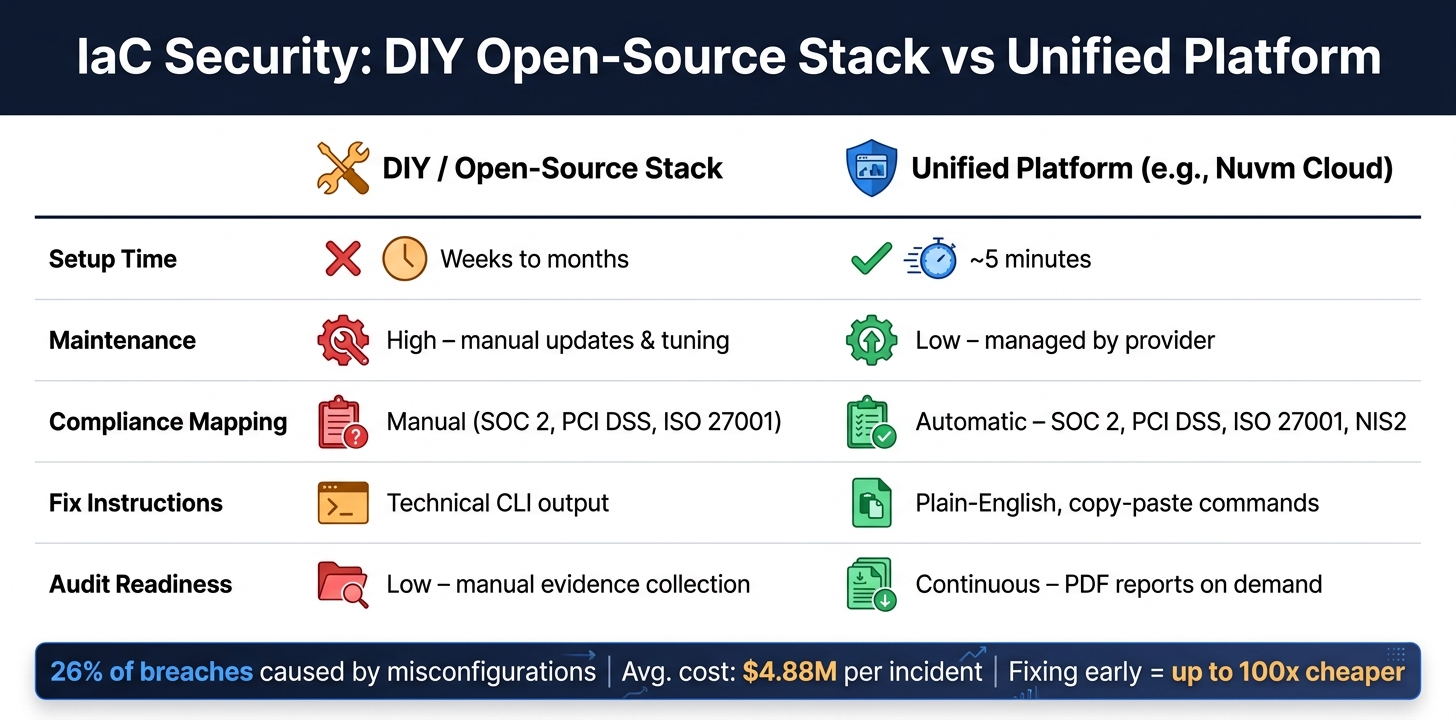
IaC Security Tools: DIY Open-Source Stack vs Unified Platform
Once you've integrated automated IaC security checks into your CI/CD pipeline, the next logical step is tying these checks into your broader security framework. This ensures a more cohesive and effective security approach. Staying updated with cloud security insights can help teams adapt to evolving threats.
How IaC Scans and CSPM Complement Each Other
Your security efforts shouldn't stop at catching issues during the development phase. They need to extend into production. This is where IaC scanning and Cloud Security Posture Management (CSPM) come into play, each addressing different stages of the security lifecycle.
IaC scanning identifies misconfigurations before deployment, while CSPM keeps an eye on your live cloud environment, catching issues that might have slipped through or appeared post-deployment.
"IaC scanning prevents misconfigurations from being deployed; CSPM finds misconfigurations that already exist, including those created via the console, API calls, or automated systems that bypassed IaC." - Eric Bang, Founder, Decryption Digest
One common challenge is configuration drift. This happens when manual changes are made in the AWS Console or automated processes modify resources outside of your IaC templates. As a result, your live environment no longer matches the configurations in your IaC files. Tools like Spacelift or Terraform Cloud can help by detecting drift and prompting you to update your IaC templates accordingly.
Using a Unified Platform Like Nuvm Cloud
Relying solely on isolated IaC scans can leave gaps in your security. Risks such as leaked keys, unpatched images, and misconfigurations often combine to create a more significant threat.
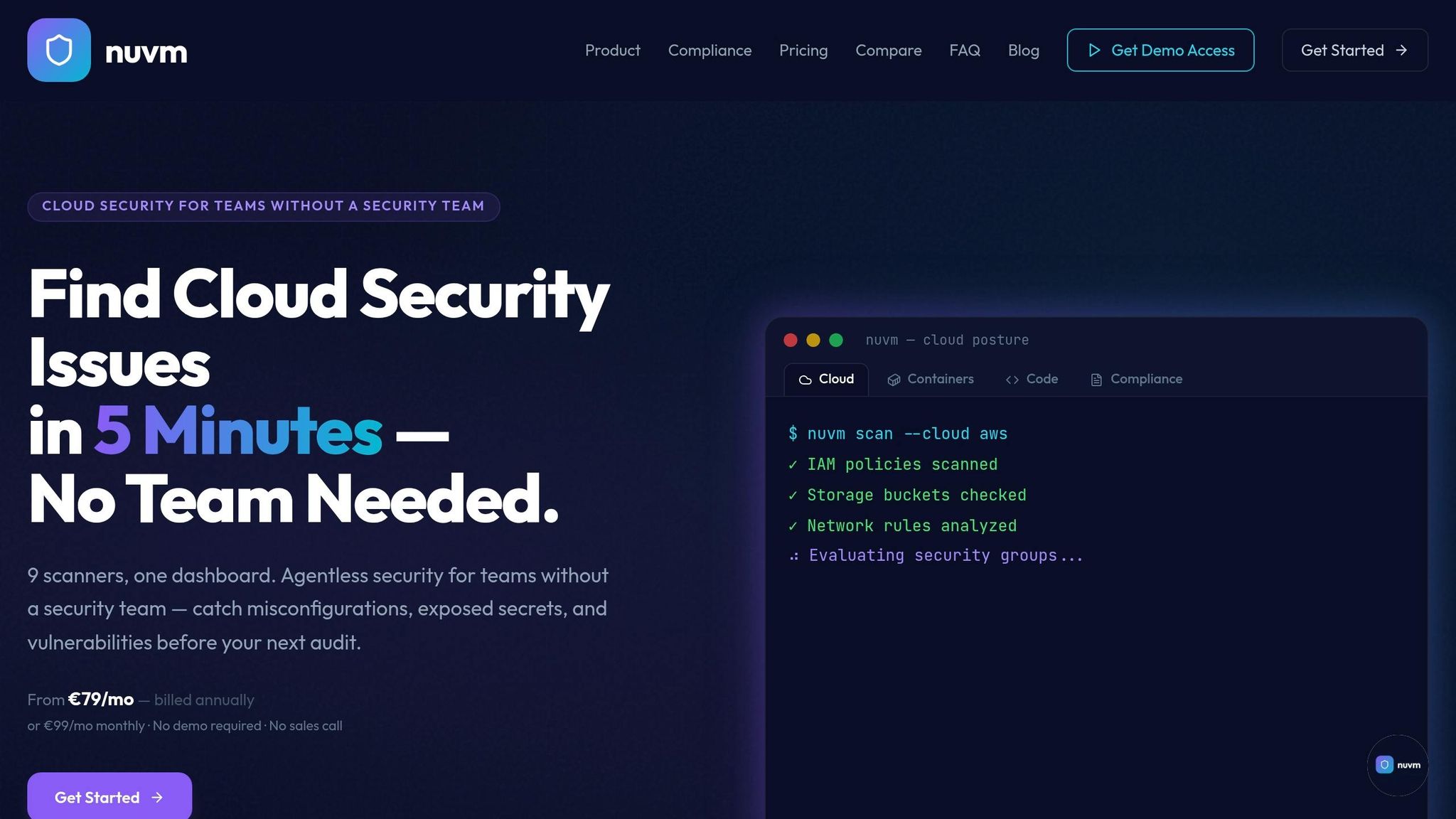
Nuvm Cloud takes a more integrated approach by combining IaC scanning with eight other security tools. These include scanners for cloud posture (AWS, GCP, Azure), containers, source code, secrets, dependencies, Kubernetes, and web applications. Everything is consolidated into a single dashboard, offering plain-English explanations and ready-to-use remediation commands.
For smaller SaaS teams, Nuvm Cloud can be particularly useful in meeting compliance requirements. The platform automatically maps scanner findings to frameworks like SOC 2, PCI DSS, ISO 27001, and NIS2, allowing audit evidence to accumulate continuously without manual effort. Pricing for the Pro plan, which includes IaC, container, and dependency scanning, starts at €179/month.
DIY Tools vs a Unified Platform
Open-source tools like Checkov, Trivy, and TruffleHog are excellent for covering basic requirements. For smaller teams managing a few repositories, piecing these tools together can work well as a starting point. However, as your operations grow, the limitations of this approach become clear. Each tool outputs data differently, requires ongoing maintenance, and doesn't offer built-in compliance mapping. Preparing for audits with a DIY setup often involves a lot of manual work.
| DIY/Open-Source Stack | Unified Platform (e.g., Nuvm Cloud) | |
|---|---|---|
| Setup time | Weeks to months | ~5 minutes |
| Maintenance | High – manual updates and tuning | Low – managed by the provider |
| Compliance mapping | Manual | Automatic (SOC 2, PCI DSS, ISO 27001) |
| Fix instructions | Technical CLI output | Plain-English, copy-paste commands |
| Audit readiness | Low – requires manual evidence collection | Continuous – PDF reports on demand |
Both approaches have their place. If your team has the engineering resources and prefers to control the toolchain, a DIY stack using tools like Checkov, Trivy, and Semgrep can meet many of your needs at no licence cost. On the other hand, if you're a CTO or engineering lead looking for a streamlined, consolidated view of your security without the hassle of managing integrations, a unified platform like Nuvm Cloud can save time and effort. This approach complements your shift-left strategy by ensuring security is maintained throughout the entire development and deployment lifecycle.
Conclusion
Key Takeaways
Catching misconfigurations during code reviews can save you a fortune - fixing them at this stage is 10 to 100 times cheaper than addressing them after deployment. Considering that configuration errors account for 26% of breaches, with an average incident cost of $4.88 million, identifying issues early isn't just smart - it’s financially sound.
Start by scanning your Infrastructure as Code (IaC) assets, detecting secrets in code, setting clear policy priorities, and using tools like Checkov or tfsec in your CI/CD pipeline. Enforce strict build blocks for HIGH and CRITICAL issues, flag lower-severity ones with warnings, and ensure scanners provide actionable, inline feedback. Manage exceptions through documented suppression comments rather than bypassing issues silently.
To bolster IaC scanning, incorporate Cloud Security Posture Management (CSPM). This could involve scheduled scans or using a unified platform like Nuvm Cloud to align declared configurations with live environments.
These steps provide a strong foundation for immediate improvements.
Next Steps
Kick things off with a focused pilot project. Integrate a scanner like Checkov or tfsec in a soft-fail mode to detect issues and provide actionable feedback. Spend one to two weeks analysing the results to identify patterns, prioritise fixes, and establish a baseline for legacy problems - all while maintaining your team’s delivery speed.
Once the pilot is stable, roll it out to more repositories. Add pre-commit hooks to give developers instant feedback before their code even hits the pipeline. As your security measures evolve and span multiple cloud environments, consider a unified platform like Nuvm Cloud to simplify tool management and ensure compliance evidence stays current. Pick a live repository and start implementing changes this week.
FAQs
Where should IaC security checks sit in a CI/CD pipeline?
Integrating IaC security checks at various stages of the CI/CD pipeline ensures developers receive quick, actionable insights. Start with pre-commit hooks for local validation before any code is pushed. Next, during pull requests, use automated scans to catch and block insecure configurations early. Finally, include pipeline gates, like Terraform plan scans, to validate changes before deployment. For teams lacking dedicated security resources, Nuvm Cloud streamlines this workflow by combining IaC and cloud security tools in one platform.
What should fail the build versus just warn?
To maintain a balance between security and development speed, it's a good idea to configure builds to fail only for high-severity issues - things like critical misconfigurations or public exposure. Tools like Checkov can help by allowing you to set strict thresholds for these critical cases. For less severe issues, you can opt for soft-fail modes. These modes flag warnings in pull requests without disrupting the pipeline. Platforms such as Nuvm Cloud can also simplify the process by automatically managing findings and aligning them with compliance requirements.
How do we handle legacy findings without blocking every PR?
To prevent pull requests from being blocked by legacy issues, you can use a baseline file to keep track of existing problems. This allows the pipeline to bypass those while focusing on flagging new misconfigurations. During the rollout phase, consider enabling a soft-fail mode. In this mode, violations are reported but don't trigger errors, making it easier to transition without disruptions. If necessary, you can also include inline suppression comments with clear justifications for specific cases.
Platforms like Nuvm Cloud are particularly useful for SMB SaaS teams, as they streamline these processes while addressing compliance and security requirements effectively.